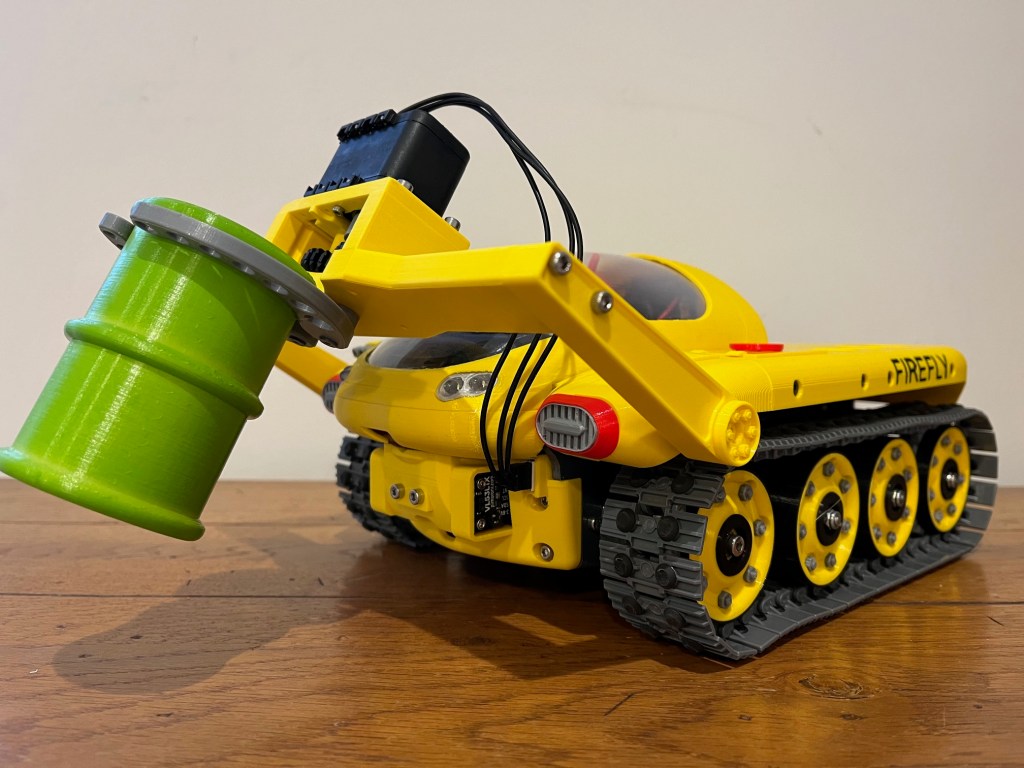
Where shall I put this barrel?

While developing Eco-Disaster, I came upon a problem.

When a barrel has been picked up, the robot heads for the appropriate end zone to deposit it. It uses a core function to drive towards the centre of the largest area of the specified hue until the front time-of-flight (ToF) sensor is triggered by the wall proximity. At this point, the barrel is placed on the floor.

This is what the robot’s camera sees while it’s doing this.

The yellow end zone, from the robot

The yellow rectangle shows the extent of the end zone, as calculated by the code. The top of the rectangle is low because the top of the video feed is deliberately cropped so that the robot is not disturbed by things out of the arena. And the two barrels are ignored because they are completely within the end zone: they have been delivered.

To begin with, this works well. But when a few barrels have been delivered you end up with lots of barrels in the centre of the zone. The ToF gets triggered by a barrel rather than the wall and the robot starts delivering the barrels short of the zone. Or it knocks delivered barrels over.

The code now works like this. When looking for the end zone the code sets the top and bottom image crops to a narrow slit. Imagine looking through a letterbox. This is the resulting view:

View through a letterbox

The yellow rectangle (which is designed to show the extent of the end zone) is now only the height of a barrel. It is also only to the right of the right-most barrel (look closely!); this is because that section of the end zone is the largest block of yellow that the robot can find. The barrels have divided the yellow zone into three, and the right-most one is the largest area. The barrels are now marked; the robot doesn’t see them as within the end zone so they are not considered delivered. The right-most barrel has crosshairs on it because it is closest to the robot centreline; if the robot was looking to collect a barrel, that is the one it would choose.

The robot now drives towards the centre of the biggest blob of the correct hue, just as before. But now it is aiming for the biggest gap between barrels, not the centre of the end zone.

The Pesky Hump

Recently I set about testing the line following code for Firefly in preparation for Lava Palava. 

First off, I reviewed the line-follower code I had written for the 2022 games.  I decided that the code was overly complicated since it can detect junctions and accept voice input directions.  So, I reinstated the code I had from 2020.  I tested this on a flat course, and it worked adequately.

I then constructed a hump (well two actually, because the first was too high for the robot!) and re-tested.  I ran into some problems.

The hump triggers the front range finder

The old code drives until the front facing time-of-flight (ToF) sensor detects an obstacle, and the hump is sufficient to trigger the sensor.  I left the front ToF sensor running, but with a very close trigger; this will hopefully still cut in just before the robot collides with anything but shouldn’t be triggered by the hump.

Robot loses line over hump brow

As might be expected, the robot loses sight of the line briefly as it goes over the brow of the speed bump.  The original code stops the robot if the line is lost, so I adjusted it to keep driving with constant heading in this case.  This worked to the extent that the robot continued to move, but it wasn’t uncommon during testing for the robot to deviate from course and loose the line.  It turns out that the robot was following false targets that were beyond the arena, targets that should have been out of view.

Gaze is lowered over the hill

The base code (the bit that’s common across all games) includes code to disregard the top section of the video feed from the front camera on the robot.  This top “crop” is set so that the robot ignores things beyond the edge of the arena.  There is a similar crop at the bottom of the image too.  The trouble is, this code is useless if the robot hull is pitched up (as happens on the speed bump).

Firefly has an IMU that is mainly used to calibrate turns, but it also reports pitch and roll too.  I added code to lower the crop edges when the robot pitches up.  In effect, the robot lowers it’s gaze as it drives up the side of the hump then raises it’s gaze as it drives down the other side.  The robot is no longer distracted by things above the arena and is more reliable as a result.  You can see this in action in the video below.  The two white horizontal lines show the top and bottom crops in the video stream; see how they adjust as the robot traverses the hump.

Gaze adjusts over the hump

Backwards and Forwards with Minesweeper

The initial plan for Minesweeper was to build a camera system that could see the entire arena at once.  We wanted to be able to see every mine from any of the other mines.  We planned to use an upward facing camera, with a curved mirror above it, mounted high on the vehicle.

Design One

We used Fusion 360 to create a design for a mirror, paying attention to the worst-case scenario (where the robot is in one corner and the diagonally opposite mine illuminates):

Fusion 360 sketches used to calculate mirror curvature

We then 3D printed a mould of the mirror shape and used this to vacuum form the mirror from a sheet of mirrored high-density polythene. The vacuum form process wasn’t perfect; we ended up with ripples around the edge. But once the excess was trimmed away, the mirror was adequate.

Vacuum formed mirror to the left, 3D printed mould to the right.

This was all built into a game attachment (with a dedicated Raspberry Pi) to fit onto the back deck of the robot, see below:

Firefly with Minesweeper attachment

When we tested this, the results were not quite what we were hoping for.  Although it was possible to see the entire arena, items at the edge of the image appear “washed out”: they lose much of the colour information.  As a result, we weren’t that confident that the system would detect a distant “mine”.

Design Two

We then thought about various configurations with rotating cameras.  We considered suppling power to a Raspberry Pi via a “slipring”, but in the end, opted for an oscillating camera.

Minesweeper Oscillating Camera Tower (with lower section shifted)

In this design, the camera is rotated back and forth, scanning the arena with each pass.  The tower includes a gearbox that converts the servo’s 300° rotation into a 360° camera movement.

We built this design but again, we were disappointed with the results.  The system works, but it’s pretty clunky and of course, decisions are delayed as the camera rotates and looks in the wrong direction.

Back to Design One

We decided to revert to the curved mirror.  Although the camera can’t resolve colours in the entire arena, we realised it’s straightforward to mitigate this in software as follows:

  1. If the robot body obscures part of a mine, then the software stops the robot and waits.
  2. If the robot can see an illuminated mine, then it drives towards it.  For this game, the robot uses mecanum wheels, so that it can move directly towards it’s target without altering it’s orientation in the arena.
  3. If the robot can’t see an illuminated mine, then it drives towards the centre of the arena (from where it can see the entire arena).  If it detects a mine while moving to the centre then it changes course to the mine.  The robot knows where the arena centre is, based on measurements from the front and left facing time-of-flight (ToF) sensors.  The software also maintains the robot’s orientation within the arena using readings from the onboard inertial measurement unit (IMU), so that the ToF readings can be used reliably.

There is one more trick in the software.  When it drives to a mine, it aims for the centre of the mine, but stops short when only half of the robot is over the mine in both the X & Y directions.  This causes it to park at the intersection of four tiles, with a wheel on each of four tiles.  I believe this is advantageous for several reasons:

  1. The robot covers four mines at once.  This gives it a 3 in 15 chance of already covering the next mine to illuminate, without the need to move (assuming that the same mine isn’t used for consecutive rounds).
  2. The robot doesn’t need to travel the full extent of the arena.  Instead, it can cover just nine intersections.  This reduces the average distance moved.
  3. Since the robot doesn’t move to the outer edges of the arena, it increases the chance that the next mine to illuminate will be within it’s view.

The Zombie Gun

This post details the operation of the anti-zombie Nerf gun.

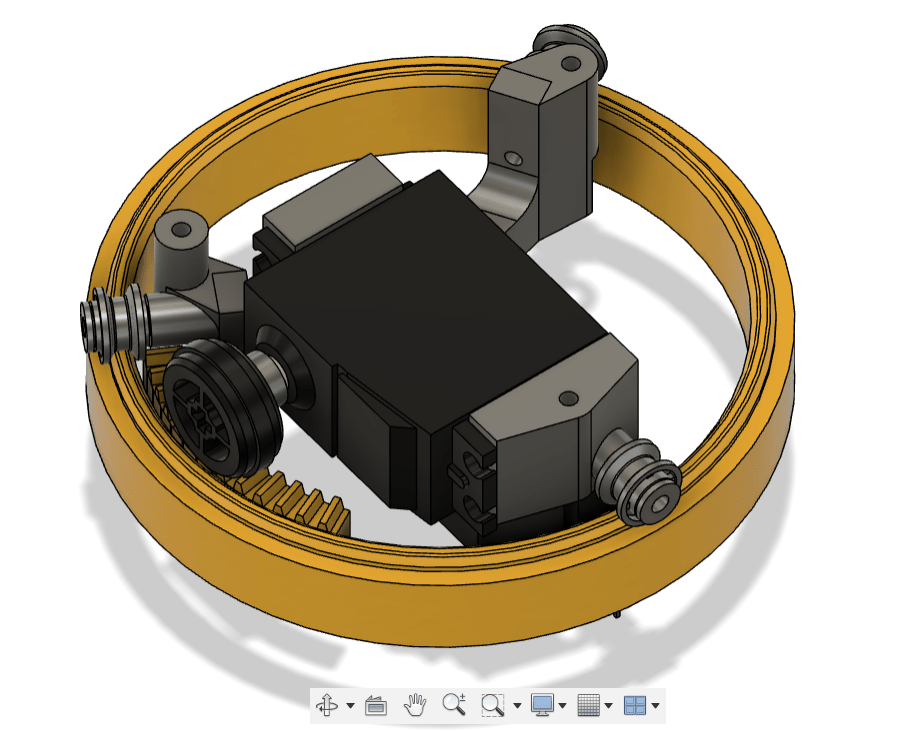
The gun is mounted on a turntable, the interior of which is shown below.

A servo is mounted in a 3-legged “caddy”.  The legs of the caddy have Lego wheels which run on a track to support the turret, providing very smooth movement combined with a very stable gun mount.  There is also a centre bearing (which is under the servo in this diagram).  The servo drives a Lego gear which engages on a 3D printed rack.  Since the diameter of the rack is about four times that of the gear, the mechanism divides the travel of the servo by about four.  Hence the ±90° turn of the servo results in a ±23° turn of the turret. 

A tilt mechanism, which is shown below, is mounted on top of the turntable.  Here, two Lego gears are used, one attached to the servo drive shaft, the other to the gun’s side support.  Again, a reduction ratio is used so that the ±90° turn of the servo results in a ±23° tilt of the gun.

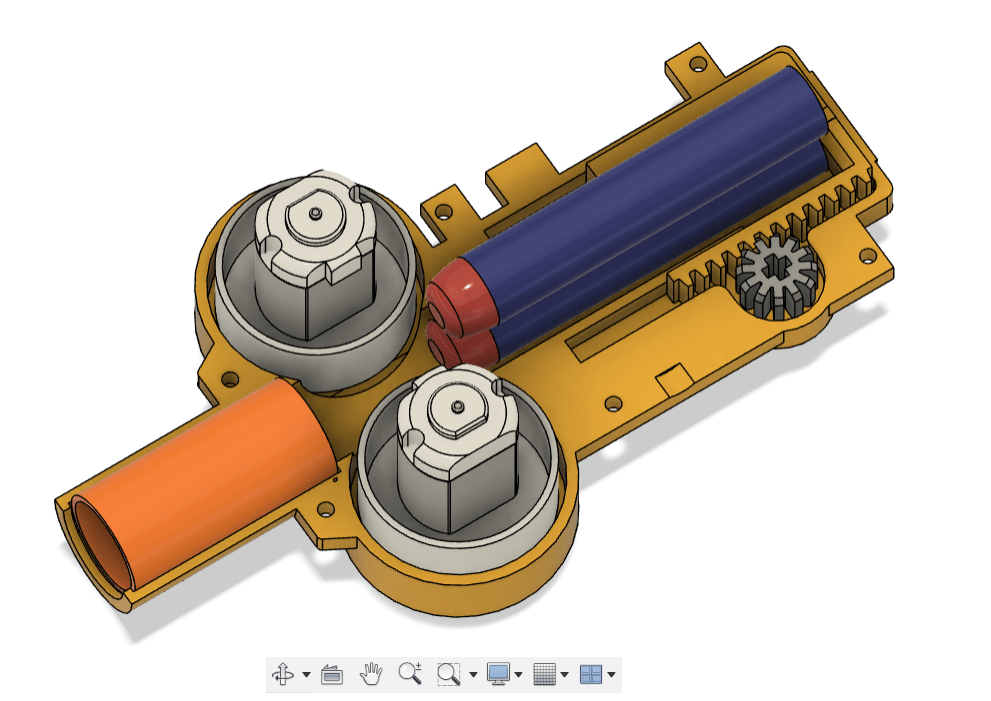
Finally, the interior of the gun is shown below.

The motors, flywheels, and barrel liner (which is rifled!) are used from a Nerf gun.  A Lego pinion is attached to a servo; it engages in a 3D printed rack so that it can push a Nerf dart between the flywheels, hence firing the gun.

As it stands, this design would have a problem.  Vibrations from the motors cause the Nerf darts to creep forward into the path of the flywheels.  Hence, the gun will fire darts even if the trigger servo has not moved.  To counter this, the lid of the gun has a hole into which a tuft of bristles from a toothbrush have been glued.  This provides enough resistance to stop the darts wandering into the flywheels due to vibration, but not so much that the gun can’t fire.

The complete unit is shown below.

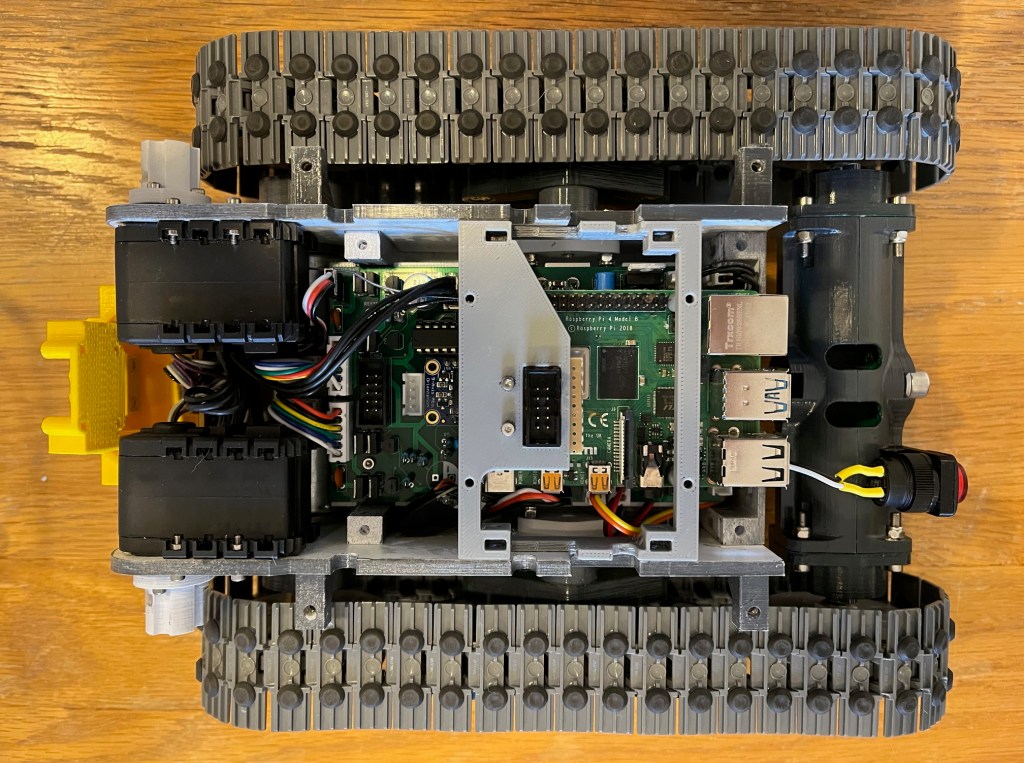
The gun has a Raspberry Pi camera mounted under the barrel; hence it “looks” wherever the gun is pointing.  A dedicated Pi 4 is held within the lower box, which attaches to the back of the robot.  An interface circuit connects to the Pi via the Pi’s header, to a servo interface that was built for the “Feed the fish” game in 2022, and to the robot via an AX-12 serial servo interface.

We plan to mark the zombie targets with a bright red spot of light from a torch.   Code has been written to drive the servos until the centre of the red spot of light coincides with a specified pixel in the camera’s field of view.  When the light spot stops moving in the field of view, then the trigger is operated.  The actual pixel chosen for this can be set in the gun’s parameters in order to align the aim of the gun.

Low Friction Track Sprocket

Low friction track sprocket

Firefly is fitted with custom designed, low friction track sprockets. They increase the robot’s battery endurance by reducing it’s rolling resistance.

Actually, they’re for something else. Firefly can be fitted with with mecanum wheels, and these require four independent motor controls. If you are driving the robot in radio control mode, with the tracks fitted, and you inadvertently request a sideways, “mecanum style” move, then the motors on each track will turn in opposite directions. This tends to unclip and break the tracks.

If you look at the video again, there is connector just above the wheel. Plan A was to use the link shown below.

The link inserts into the side of the robot, thereby enabling sideways moves. The link conflicts the tracks, so can’t be fitted at the same time as tracks.

This was OK, but I figured it would be easy to forget the link. Or for the link to drop out during a game.

So I went low friction sprockets instead.

PID Tuning

From P20 onwards, our robots have used PID controllers to control the speed of the drive motors.  Code in the Raspberry Pi decides a target speed for each motor.  The motors are fitted with encoders which report the actual speed of rotation.  It’s the PID algorithm’s job to set the power to the motor to try to get it to match the target speed.  This system should allow the robot to drive at the target speed, even if it is on a steep slope, or if the batteries are low, for example.  In the 2019 games, our robot struggled to turn in one of the games because the surface was so grippy; a PID based system would have solved this.

If you’re new to PID, take a look here.  Motor encoders and PID algorithms greatly improve the standard of robot control that can be achieved and are well worth investigating.

The difficulty with PID algorithms is that it is necessary to find appropriate values for the P, I and D control terms.  It’s widely reported that this can be a bit of a “black art”.

Our control board for the robot includes a new design for the H-bridges (motor drivers) and I noted that the standard of control being achieved was disappointing.  It became clear that the change in the H-bridges required an update in the PID parameters.

In the past I have set the parameters by trial and error, changing the parameters one at a time.  I decided it was time to find a more thorough approach.

I wrote code to run on the robot’s control board that cycles through 10 step changes in speed, with each speed running for 2 seconds, see the video below.  Each time the PID algorithm runs it takes the absolute difference between the target and actual speeds, which is added to a running total.  At the end, this “sum of errors” is reported.  The lower the score, the better the control terms are working.  The test is repeated for different PID control terms in loops, and a minimum found.  The process was run with a rather weighty mecanum wheel attached to the motor to provide some inertia. 

The PID tuner running

I accept that this is a rather crude “scatter gun” approach to PID tuning, but it appears to have found some good parameters.

For the record, the motors are these.  They have a magnetic encoder that provides 11 pulses per revolution of the motor (which equates to 374 pulses for each revolution of the wheel due to the gearbox).  The PID algorithm runs 50 times per second on an Arduino compatible, it uses this PID library by Brett Beauregard.  The PID control terms found were P: 1.50, I: 4.10, D: 0.001.

Frustration!

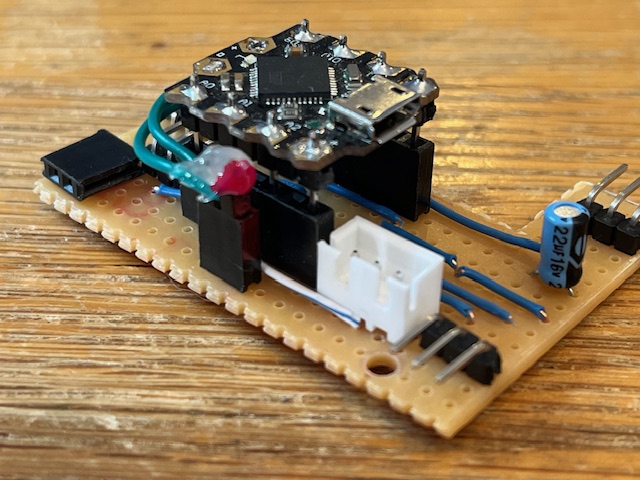
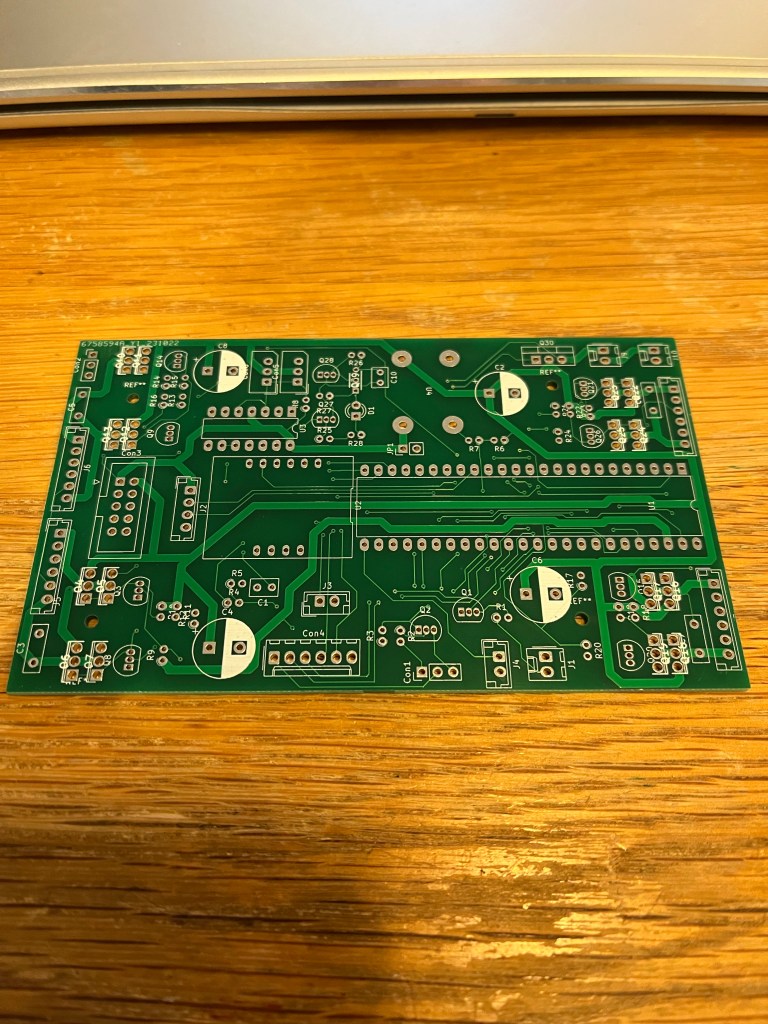
Firefly’s lid includes a few decorative features such as lights and a servo to move Doofus’s head. This requires a microcontroller to drive it, so I thought I’d build a circuit over the weekend.

I started off by building some of the circuitry on a breadboard; the rear lights use LED strips and I wanted to write a library to work in conjunction with FastLED (the Arduino library that drives LED strips) to do some visual effects. I used a Teensy 4.0 as the controller for the circuit, mainly because that’s the first controller I came to in my box of bits.

All went well, and I ended up with this…

Satisfied that it was working, and happy that it hadn’t been difficult, I went on to build a stripboard circuit…

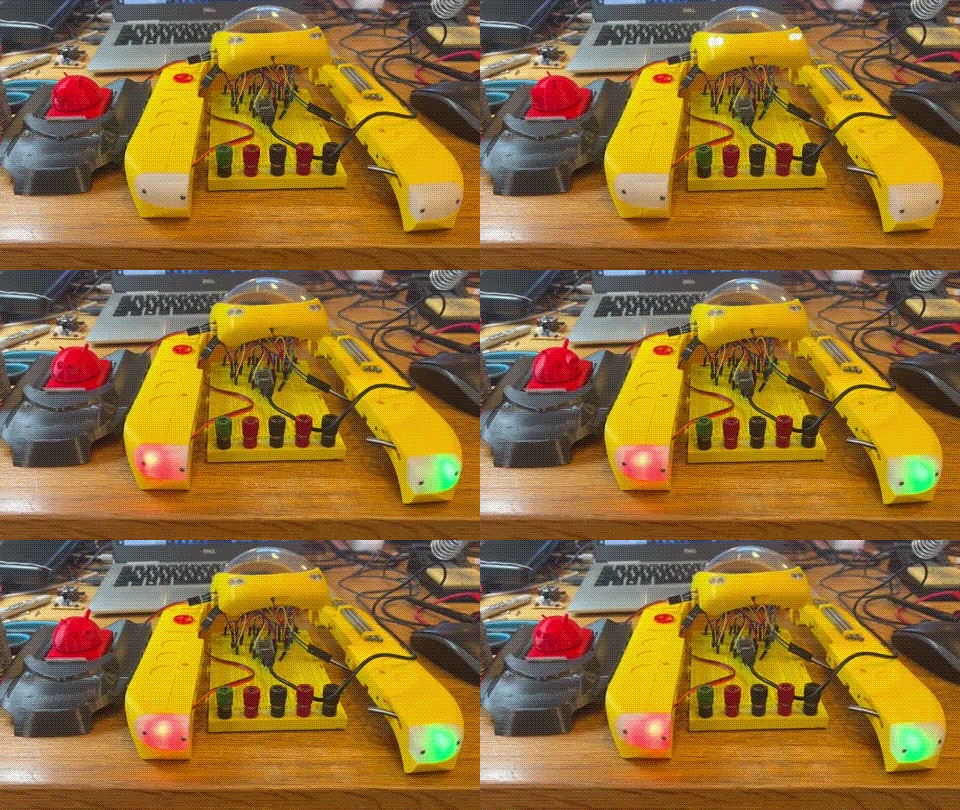
Frustratingly, this doesn’t work: the LED strips either don’t work at all, or occasionally they flash but in the wrong colour. After some hours of trying to find the fault, I am no wiser. The only difference I can find between the stripboard version and the breadboard one is the controller; Teensy 4.0 on the breadboard, DFRobot Beetle on the stripboard. I assume that the LED strip library doesn’t work properly on the Beetle, although I can’t find any sign of this on the internet.

I think I will give in and rework the circuit with a Teensy. But this is not as straightforward as I would like; there’s not much room in the robot for the electronics.

Version 2

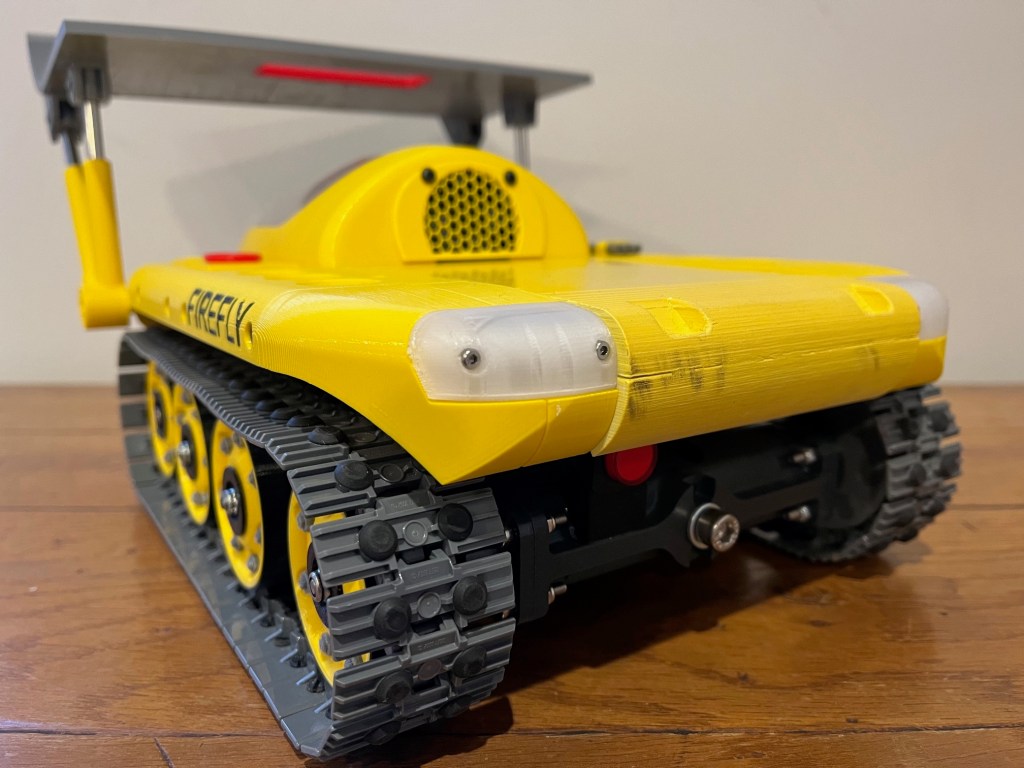
In mid October I blogged that I had built Firefly, but I expressed dissatisfaction with the build quality.  I was mainly unhappy with the standard and longevity of the paint. It seems to me that some paint colours take better on 3D prints than others; the dark grey of the hull looks fine, but the yellow shows up lots of imperfections.  Of which, there were quite a few.

In this first iteration of the design, I made the entire cab from vacuum formed, clear PET-G.  I then sprayed some of it yellow, to look like bodywork.  This was the paint that flaked off during Sidmouth Science Festival; I guess acrylic paint doesn’t stick to (rather flexible) PET-G all that well.

To get the shape of the cab correct (which was necessary to fit the parts inside it), I was forced to heat up the PET-G a lot and apply vacuum for a long time.  This made the part the right shape, but also picked up the layers in the 3D printed mould.  This made the “glass” frosted and it meant that I wasn’t able to get a nice crisp line between the bits I wanted clear, and the bits I wanted yellow. 

I printed most of the robot from white PLA then sprayed it with the same paint so that the robot would have a consistent colour.  However, I found that the colour of the paint was not consistent across different components; perhaps different print directions look different, perhaps my lack of preparation of the parts prior to painting showed through, or perhaps I’m just rubbish at painting.

Basically, I was unhappy…  So, I rebuilt it.

Version 2

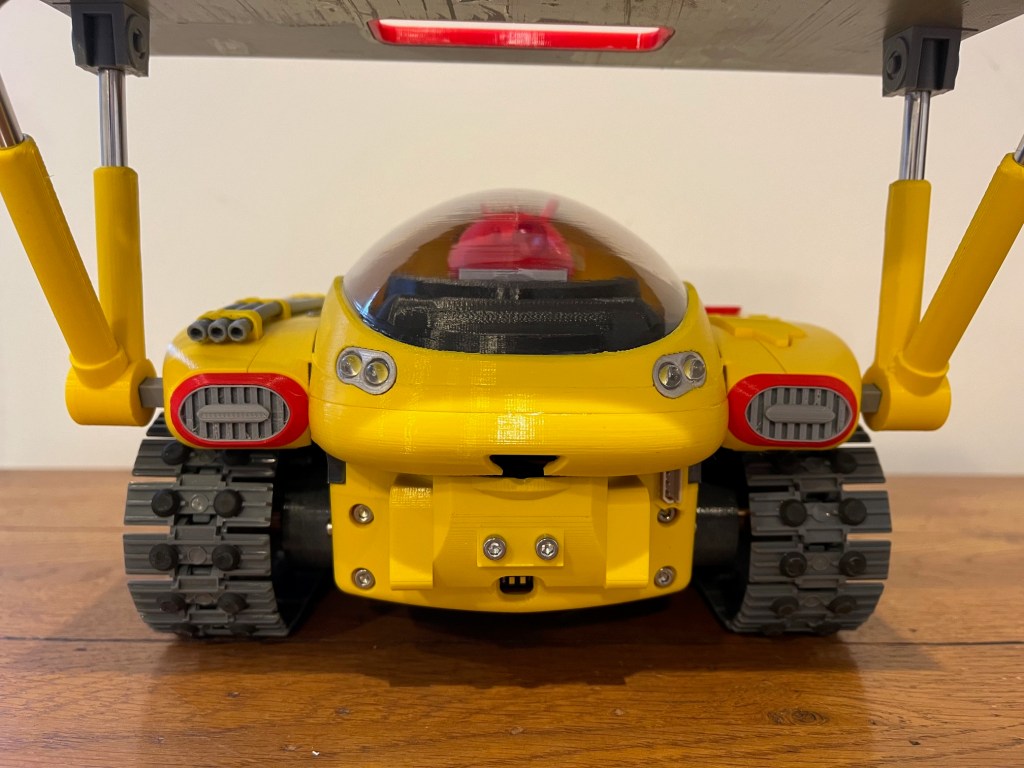
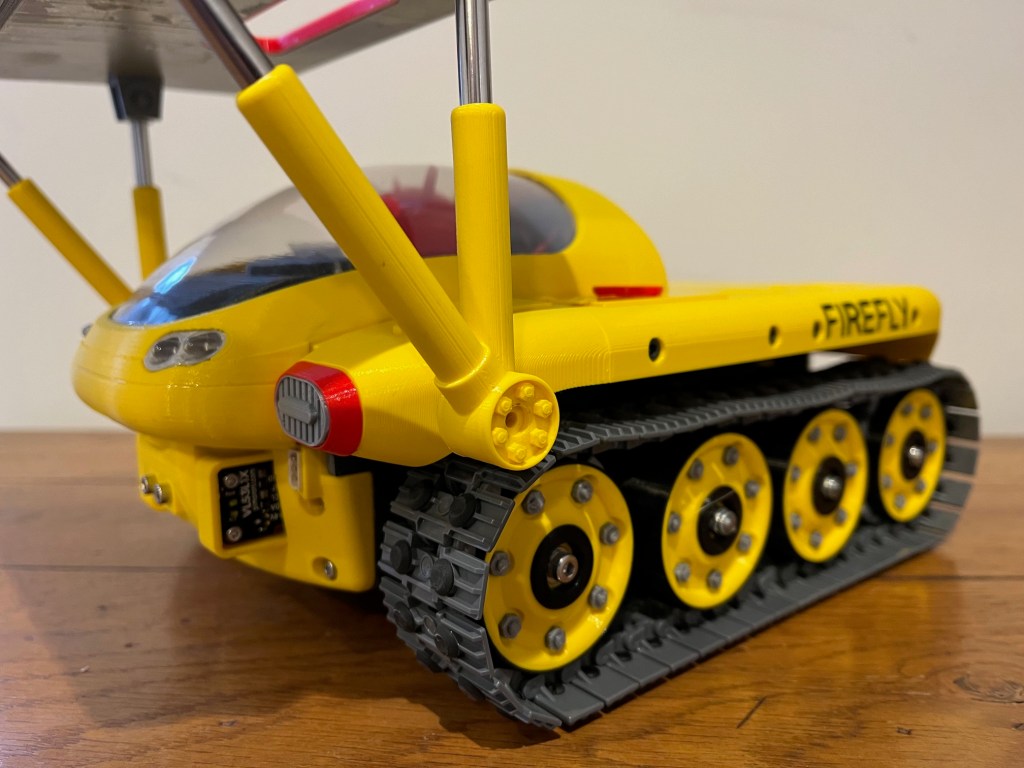
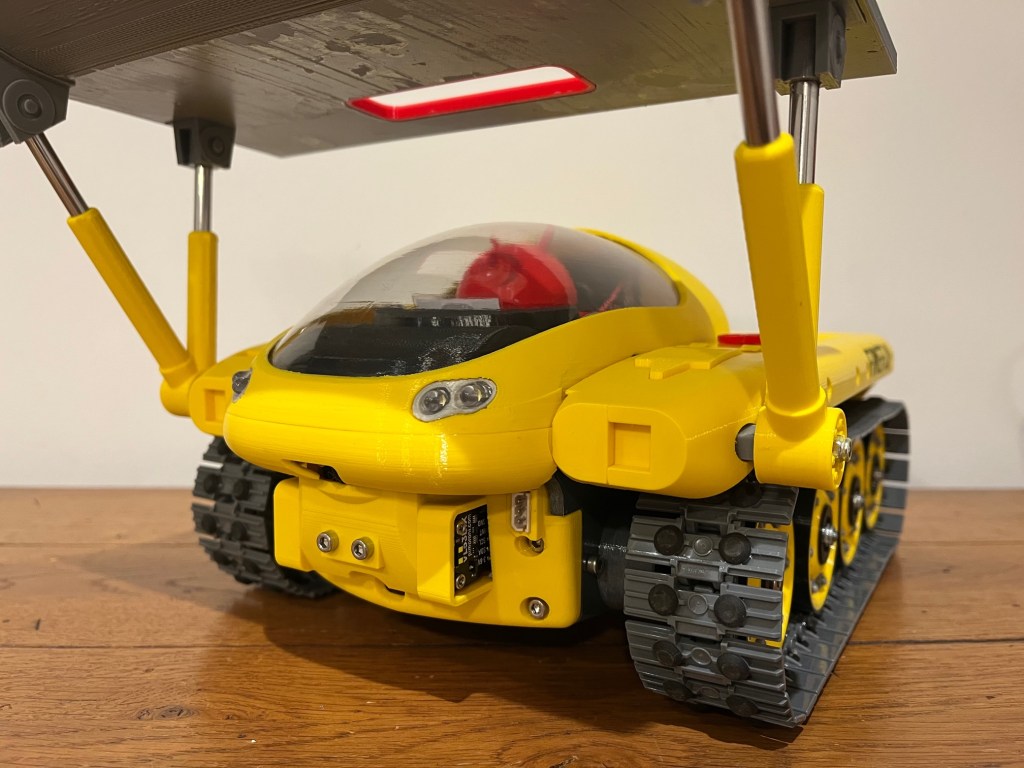
I reworked the cab so that the glass was vacuum formed PET-G but the bodywork was 3D printed from PLA.  Since the yellow bit wouldn’t need to be painted, I was able to print the cab, and therefore the rest of the robot in yellow PLA.  This has resulted in a much neater, consistently coloured, build.

There are loads more decorative parts to make, but the machine is basically ready for the game specific stages of development.  In other words, I can get on with the core of the work and stop messing about with making things look pretty.

However, while we’re here I’ll point out the rather nice shiny hydraulic rams on the bulldozer blade.  I had planned to use some stainless-steel rod, but it was going to cost a fortune.  Then I found some stainless-steel drinking straws on Amazon for about £4!

If you’d like to know more about how Firefire was made, take a look here.